

Best Practices for Implementation
Consider adding the booking system to your /experts page (e.g., yourwebsite.com/experts)
Ensure the page has appropriate context explaining the value of connecting with your experts
Sample title: Expert Insights.
Sample subtitle: Book a quick call and get real, genuine feedback from the people that know us best.
Test the embedded booking system on different devices to ensure responsive display
Option 1: Using HubSpot Custom HTML in a Rich Text Module
Log in to your HubSpot account and navigate to your website pages
Open the page where you want to embed the SlashExperts booking system
Click "Edit" to open the page editor
Add a "Rich Text" module to your page
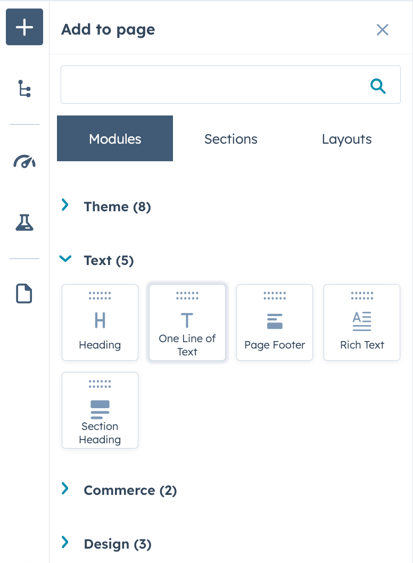
Click the "<>" icon in the rich text editor toolbar to add custom HTML Read HubSpot help article here.
Paste the provided iframe code into the HTML module found on your Booking Systems & Widgets page under the Setup/Install Code link.
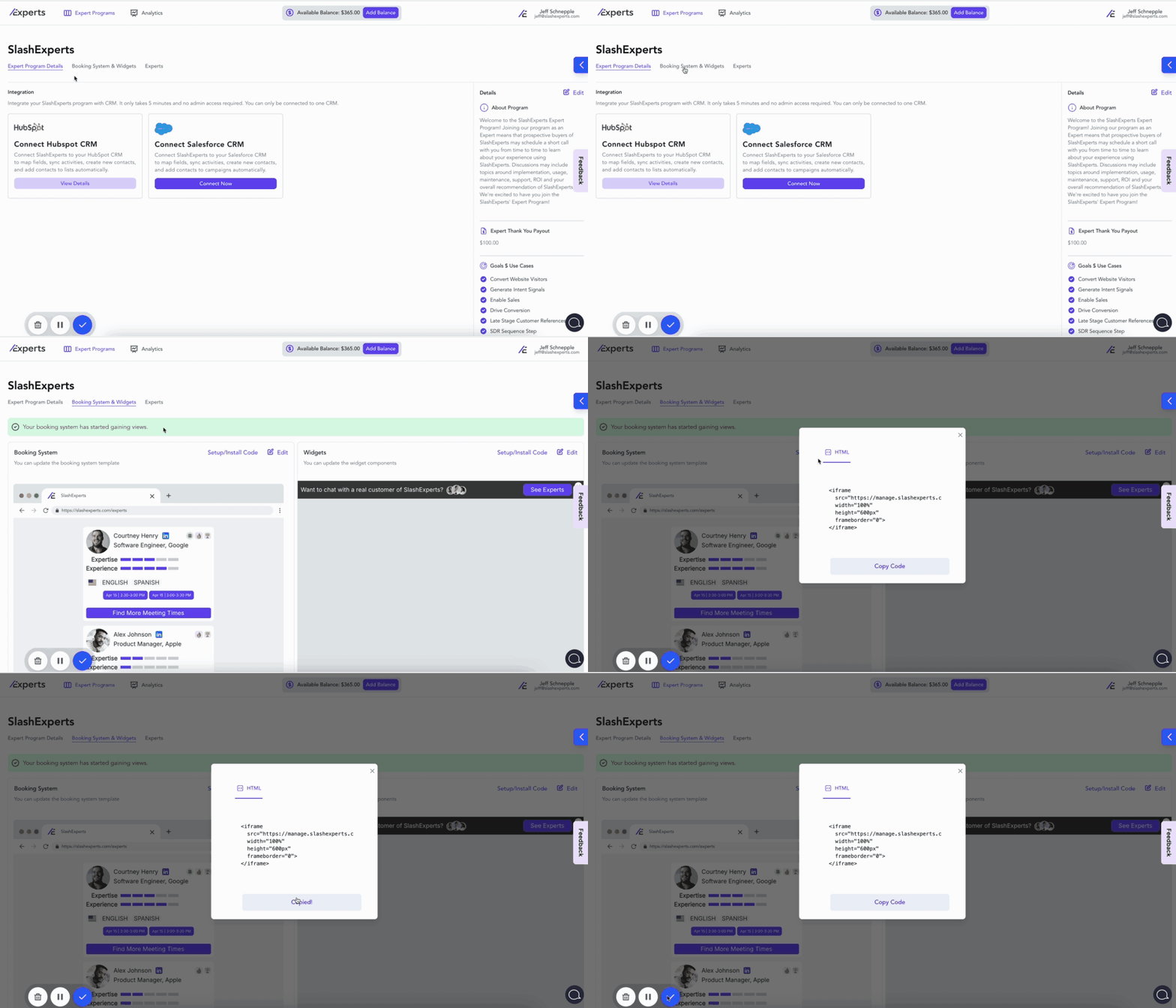
Click "Save" to save your changes
Preview the page to ensure the booking system displays correctly
Publish your changes when ready
Option 2: Using HubSpot's HTML Module
Log in to your HubSpot account and navigate to your website pages
Open the page where you want to embed the SlashExperts booking system
Click "Edit" to open the page editor
Drag and drop an "HTML" module to the desired location on your page
Paste the provided iframe code into the HTML module found on your Booking Systems & Widgets page under the Setup/Install Code link.
Click "Save" to save your changes
Preview the page to ensure the booking system displays correctly
Publish your changes when ready